Graph View project
Gramps Graph View Profiles - Features
Save Graph View settings, restore them temporarily, control startup and filter tagged people with ProfileTag.
How the profile function works
Temporary restoration
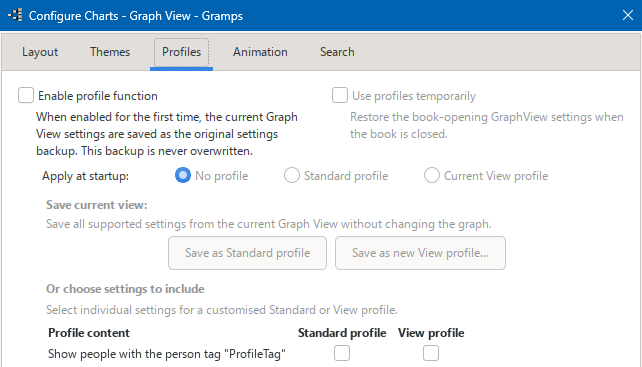
Each time a family tree is opened, Gramps Graph View Profiles creates
temporary_profile_restore.json
in the shared
GraphView/profiles
folder. This folder is also used
for Standard profiles, startup settings and the original settings
backup. View profiles are stored separately in the
base media
folder of each family tree.
If Use profiles temporarily is enabled, the temporary restore file is loaded when the family tree closes. This restores the Graph View settings that were active when the tree was opened.
Original settings backup
The first time
Enable profile function
is selected,
Gramps Graph View Profiles creates
original_settings_backup.json
.
If the profile function is later disabled, this original backup can
be restored when the user chooses to do so.
Settings included in a profile
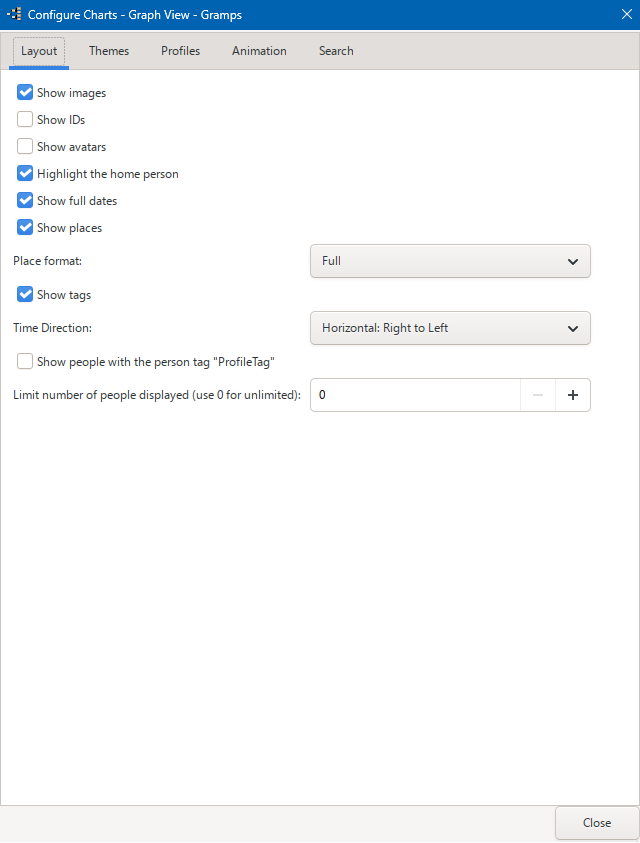
A profile can include settings from the ordinary Graph View configuration pages, such as images, IDs, dates, places, tags, time direction and the maximum number of people displayed.
Live and profile-load settings
Settings without the superscript ¹ update Graph View immediately. Settings marked with ¹ are saved in the profile and take effect when that profile is loaded.
When a profile is loaded, all selected settings are applied together and Graph View rebuilds the graph once.
ProfileTag filtering
A person tag named ProfileTag can be used to limit the graph to tagged people. Graph View will draw only tagged people that it can connect within the displayed graph.
The ProfileTag filter can be selected independently of the profile function, either from the Layout tab or from the right-click menu. A manual selection applies only to the currently open family tree and is reset when another family tree is opened.
To activate the ProfileTag filter automatically when a family tree is opened, include it in a Standard or View profile and load that profile manually or at startup. If the required ProfileTag does not exist, the filter is disabled and a warning is shown.