Gramps gramplet
FilterWorkbench (Filterværksted)
Build, test and share person filters in a separate workspace, then optionally export finished filters to Gramps’ own Filter Editor.
What it does
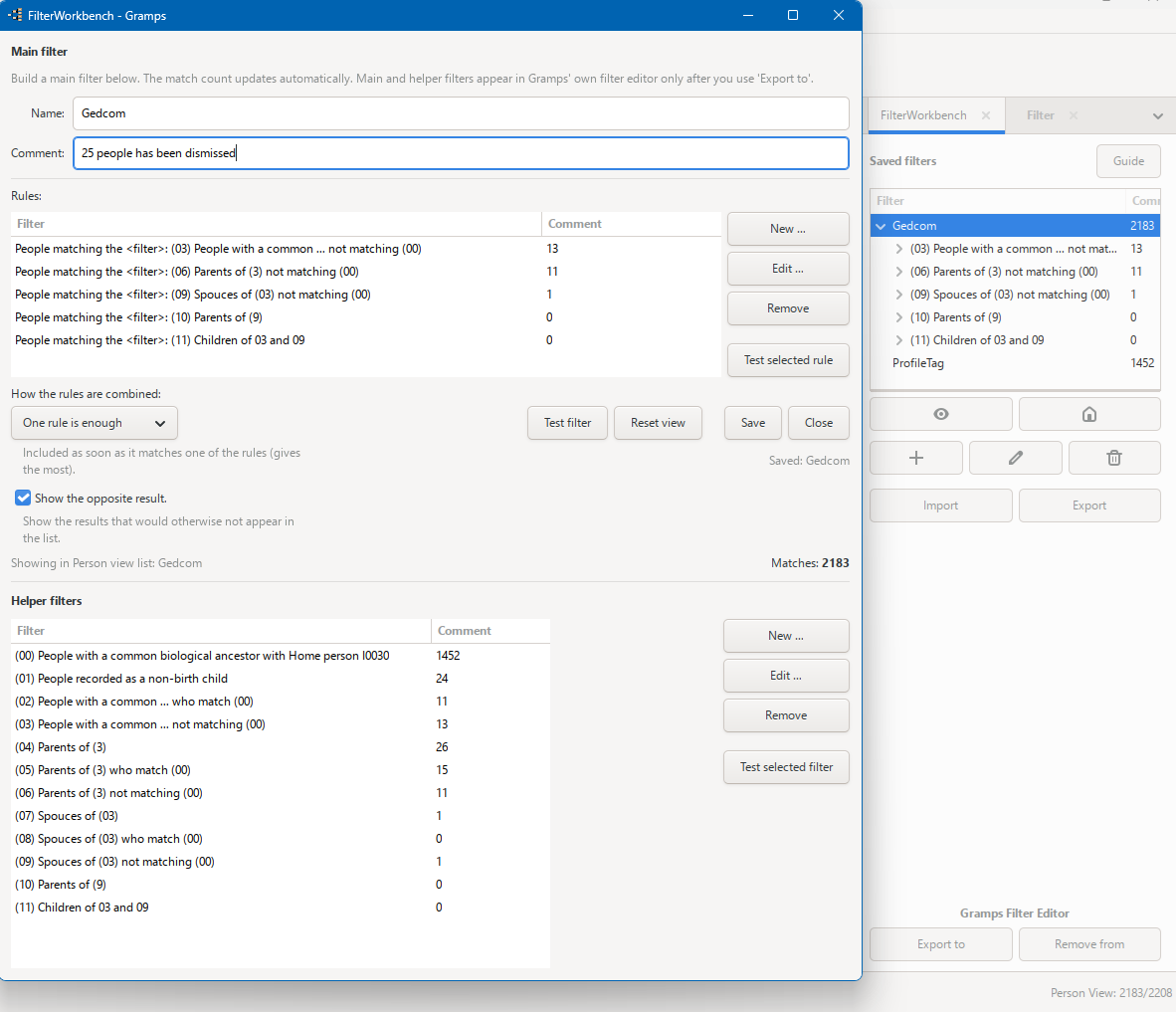
FilterWorkbench is a gramplet for the People view sidebar. It gives beginners and slightly experienced users a friendlier place to build, test and manage person filters while keeping the builder open.
Filters are stored separately for each family tree. By default, FilterWorkbench keeps them separate from Gramps’ own custom filters. When a filter is finished, you can explicitly use Export to to copy it, together with the helper filters it needs, into Gramps’ own Filter Editor. Remove from removes it again without overwriting other filters.
Main features
- Main filters and reusable helper filters — build a helper once and use it in several filters.
- Live match count — see how many people match while a filter is being built.
- Test as you go — preview the whole filter, a helper filter or a selected rule directly in the person list without closing the builder.
- Apply and Reset — apply a saved filter to the person list. While active, it also appears temporarily as wb_<name> in Gramps person-filter selectors such as GEDCOM export and reports.
- Export to / Remove from Gramps' Filter Editor — copy a finished filter and its required helper filters into custom_filters.xml as native custom filters, and remove them again cleanly. Existing filters are never overwritten and shared helpers are reused.
- Safer deletion — deleting a main filter also removes helper filters that nothing else needs, while shared helpers and separate referenced main filters are kept. The confirmation shows what will be deleted and what will stay.
- Import and Export between family trees — use additive merging with duplicate handling, safe renaming of name clashes and warnings for missing rule add-ons.
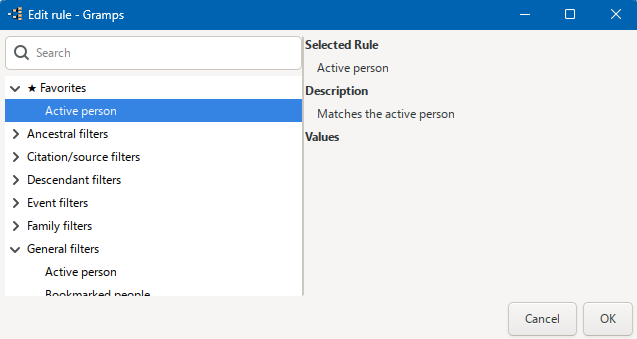
- Favorite rules — right-click a rule in the New/Edit picker to pin it under a ★ Favorites group at the top. Favorites are remembered across sessions and family trees.
- Improved sidebar — main filters are shown as a tree with their helper filters nested underneath, with a type-to-filter box and a built-in Guide button.
- Regular-expression and case-sensitive matching — available on rules that support these options.
- Separate per-tree storage — FilterWorkbench does not write to Gramps’ custom_filters.xml unless you explicitly choose Export to.
Installation
- Close Gramps.
- Extract the downloaded ZIP archive.
-
Copy or extract the project folder into your Gramps user plugin folder.
Keep the complete folder structure unchanged, including any `locale` folder included with the project.
The user plugin folder is normally located here:
- **Windows:** `%AppData%\gramps\gramps(version)\plugins\`
- **Linux:** `~/.gramps/gramps(version)/plugins/`
- **macOS:** `~/Library/Application Support/gramps/gramps(version)/plugins/`
Replace `(version)` with the Gramps version folder used on your system.
Start Gramps again. -
Check that the installed filter, rule, gramplet or tool is available where described in the project documentation.
If the project does not appear or fails to load, check **Help → Plugin Manager** for an error message.
Removing the test version
- Close Gramps.
- Delete the project folder that you added to the Gramps user plugin folder.
-
Start Gramps again.
Because the project was installed only in the user plugin folder, removing that folder removes the test installation without changing the original Gramps program files.
Your saved FilterWorkbench filters are stored separately in…/gramps<XY>/filterbuilder/. Replacing or removing the plugin folder does not remove those saved filters.
Requirements and notes
- Gramps 5.1, 5.2 or 6.0.x, Python 3 and GTK 3.
- Tested on Windows and Linux. Gramps 5.1 compatibility has also been tested independently by two users. macOS has not been tested.
- A Danish interface is included under the name Filterværksted, and the built-in Guide opens automatically in Danish when Gramps runs in Danish.
- If an imported filter uses a separate rule add-on, that same add-on must also be installed in the target Gramps. FilterWorkbench warns about missing rules during import.
- Close Gramps’ own Filter Editor before using Export to or Remove from. FilterWorkbench refuses to write while the Filter Editor is open, preventing its older in-memory copy from overwriting the change later.
- Gramps’ custom_filters.xml is shared across family trees. Filters that refer to a specific person, place or event may therefore only be meaningful in the tree where they were created.
- The complete walkthrough is available from the built-in Guide button or as the Guide in Source & Downloads .