Gramps People view
Easy Filter Builder
Build Gramps person filters from small blocks, combine them visually or with a formula, and save the result as ordinary Gramps custom filters.
What it does
Easy Filter Builder is a beginner-friendly way to build person filters in Gramps. It is not a replacement for Gramps' Filter Editor: filters saved here become ordinary Gramps custom filters and can be used in the Filter Editor, sidebar filters, reports and exports.
Instead of building a complex filter all at once, you make small reusable blocks from normal Gramps person rules. The helper filters and inverted rules are still there, but Easy Filter Builder creates and manages them for you.
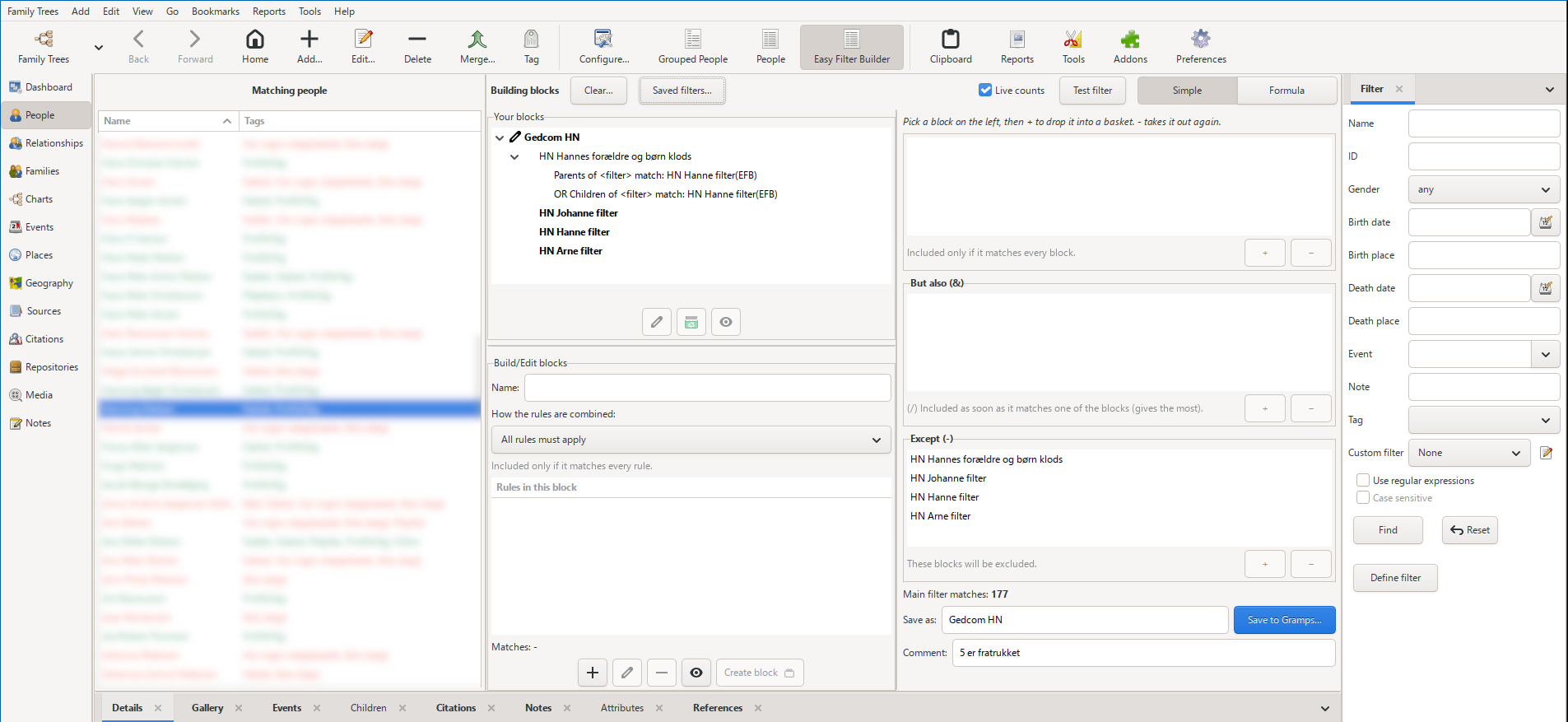
Build with blocks
- Any Gramps person rule — add ordinary person rules to a block and choose whether all rules must apply or one rule is enough.
- Favorite rules — right-click frequently used rules in the picker to keep them easy to find.
- Live match counts — see how many people match while you work, or turn live counts off on a slower computer and use Test filter when needed.
- Simple mode — combine blocks in three baskets: every block, But also (&), and Except (-).
- Reusable filters — a saved filter can later be added as a block inside another filter.
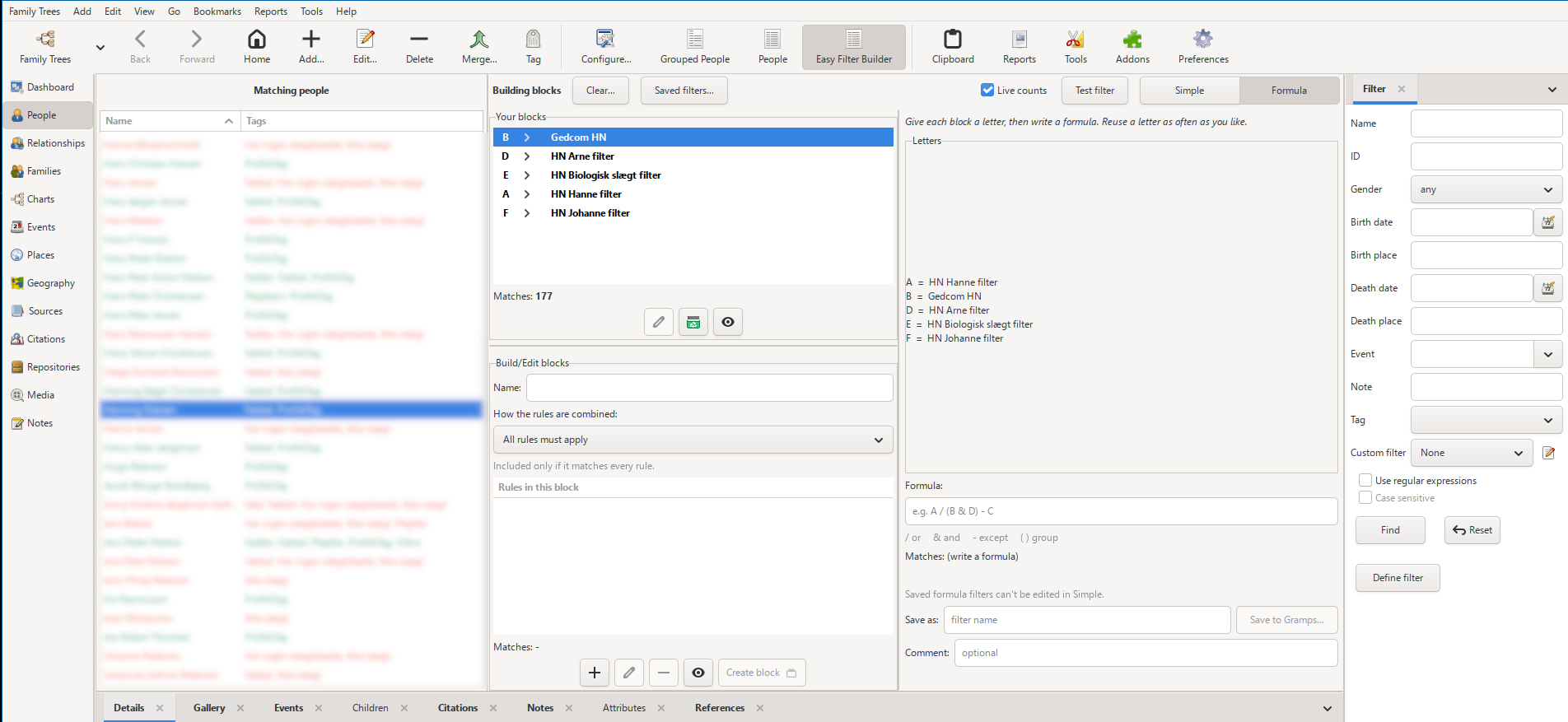
Simple or Formula
For most filters, the three baskets provide a visual way to describe what should be included and excluded. When the baskets are not enough, switch to Formula and combine the same blocks with letters.
A formula can use
/
for OR,
&
for AND,
-
for EXCEPT and parentheses for grouping. A letter can be used more than once, so a formula can describe combinations that cannot be shown in the simple baskets. Formula errors are explained while you type.
Save and reuse
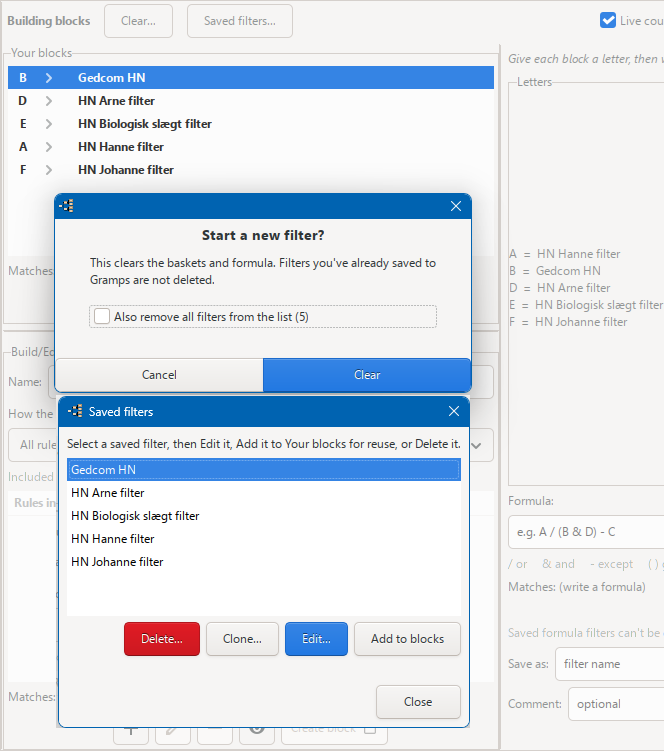
- Save to Gramps — the finished filter is saved as a normal Gramps custom filter.
- Edit — reopen a filter with its blocks restored and update it.
- Clone — make an independent copy under a new name.
- Add to blocks — reuse a complete saved filter as a building block.
- Delete safely — filters that are still used by another filter or block cannot be deleted or renamed; the message tells you what depends on them.
What it writes to Gramps
The filter you save is the one you normally use. Easy Filter Builder also creates helper filters for blocks and for the internal AND/OR/EXCEPT structure.
-
My filter(EFB)— the filter you saved. -
ze_…— block/helper filters, sorted near the bottom of Gramps' filter list. -
efbop_…— internal structure used by Easy Filter Builder.
Easy Filter Builder manages its helper filters for you. They carry
(EasyFilterBuilder)
in the comment so they can be recognised.
Installation
- Close Gramps.
- Extract the downloaded ZIP archive.
-
Copy or extract the project folder into your Gramps user plugin folder.
Keep the complete folder structure unchanged, including thelocalefolder.
The user plugin folder is normally located here:
- Windows:%AppData%\gramps\gramps(version)\plugins\
- Linux:~/.gramps/gramps(version)/plugins/
- macOS:~/Library/Application Support/gramps/gramps(version)/plugins/
Replace(version)with the Gramps version folder used on your system. - Start Gramps again.
- Open the People category and choose Easy Filter Builder from the available People views.
If the view does not appear or fails to load, check Help → Plugin Manager for an error message.
Removing the test version
- Close Gramps.
- Delete the project folder that you added to the Gramps user plugin folder.
- Start Gramps again.
Removing the plugin folder does not change the original Gramps program files. Saved JSON data is stored separately in
…/gramps<XY>/easyfilterbuilder/
, so replacing or removing the plugin folder does not remove it.
Requirements and notes
- Gramps 5.1, 5.2 or 6.0.x.
- Tested on Gramps 5.1, 5.2 and 6.0.x on Windows, and Gramps 6.0.x on Zorin OS Linux. macOS has not been tested.
- Person filters only.
- Filters created directly in Gramps' Filter Editor cannot be opened for editing in Easy Filter Builder; only filters saved by Easy Filter Builder can be reopened there.
- Saved Gramps filters are available across family trees. Blocks that refer to a person ID, tag or other tree-specific value may only be meaningful in the tree where they were created.
- A Danish translation is included.
- Easy Filter Builder and FilterWorkbench can be installed side by side. They use the same filter engine but are intended for different workflows.